
Home
Midasbuy Events
Help Center
Live & Video

EN
Sign in
EN

Sign In to Enjoy Exclusive Service
Sign in / Sign up- Midasbuy VIPBecome VIP to enjoy privileges
Coupon
Order Center
Account and Security
Official recharge store by Tencent
Official recharge store by Tencent
COOKIES CONFIRM
We use cookies that are necessary to provide this website.We would also like to use cookies, including from third party partners, to improve your experience, optimize and analyze website features and usage, and serve ads we think you would like. For more information, please refer to our Cookie Policy
Accept All Optional Cookies
Reject All Optional Cookies



Whiteout Survival
Official Authorization
Subscribe
Sign In Midasbuy

Clear
Amount
Filter by Price
-
Filter
Weekly: 0/20
Popular


499
17.99 AED
Weekly: 0/20
Popular
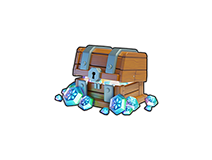

9250
18495
684.95 AED
Weekly: 0/20

99
3.99 AED
Weekly: 0/20

299
10.99 AED
Weekly: 0/20

999
36.99 AED
Weekly: 0/20

1999
74.99 AED
Weekly: 0/20
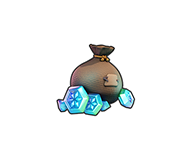
4999
184.99 AED
Weekly: 0/20

7499
279.99 AED
Weekly: 0/20

9999
369.99 AED
Weekly: 0/20
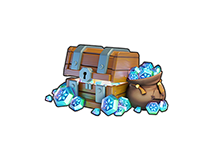
15K
29999
1199.99 AED
Weekly: 0/20
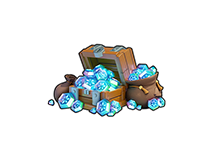
25K
49999
1999.99 AED
Weekly: 0/20
35K
69999
2499.99 AED
Weekly: 0/20
50K
99990
3699.9 AED
FAQ
What is Whiteout Survival and how do you play it?
Whiteout Survival is a free-to-play mobile survival strategy game developed by Century Games, set in a frozen post-apocalyptic world. As the leader of the last town, your goal is to keep survivors warm by upgrading the central Furnace, managing resources like wood, coal, and food, and exploring the icy wilderness for supplies. You can collect and upgrade Heroes to lead your troops, join an Alliance for cooperative play, and participate in various in-game events that unlock based on server progress or special occasions. For those looking to enhance their experience, Midasbuy offers a secure and official way to top up Frost Stars, which can be used to purchase in-game packs and daily deals directly on the Midasbuy official top-up center.
Is Whiteout Survival free to play on iOS and Android?
Yes, Whiteout Survival is free to download and play on both iOS and Android. All core features—such as city building, hero collection, and alliance events—are fully accessible without spending money. It follows a freemium model, meaning there are optional in-app purchases for those who want to progress faster or obtain premium items. For players who choose to make purchases, Midasbuy provides a reliable and official recharge platform where you can buy Frost Stars with added benefits like first-time purchase bonuses and regional pricing advantages. You can download the game from the official stores: Apple App Store and Google Play Store.
Is it better to buy Frost Stars from the in-game store or the official Whiteout Survival website?
Whether you purchase Frost Stars in-game or through an officially authorized platform like Midasbuy mainly depends on your considerations around value, security, and payment convenience. Midasbuy is the official global top-up partner for Tencent’s Whiteout Survival, which means your transaction is fully compliant and secure, without the account risks that may come with some unofficial channels.
One of the biggest advantages players can feel is the price. Because Midasbuy bypasses the ecosystems of app stores like the App Store and Google Play, it can usually offer more competitive prices by avoiding platform commission fees. You can also often find exclusive offers there, such as double rewards on your first top-up or ongoing top-up rebate events, all of which can give you extra Frost Stars and genuinely increase the value of your purchase. In addition, Midasbuy supports a wide range of local payment methods worldwide, making it especially convenient for players who cannot use international credit cards. The entire process is also designed with account security in mind: you only need to provide your game character ID to complete the top-up, with no password required. If you’re looking for a safer and usually better-value way to buy Frost Stars, you can check out the official Whiteout Survival top-up page on Midasbuy. Visit the Midasbuy Official Top-Up Center
Which Frost Star pack gives the best value for money in Whiteout Survival?
The best value when buying Frost Stars often isn't just about the size of the pack, but about the promotions you can take advantage of and the permanent upgrades you purchase with them in the game. On Midasbuy, the value of a Frost Star pack is enhanced by frequent platform-specific bonuses. You can look forward to first-time recharge bonuses, such as double Frost Stars, or ongoing rebates that give you extra stars on your purchase, making any pack you choose more rewarding. For example, you can find current offers on the official Whiteout Survival top-up page. View Whiteout Survival Top-Up Offers on Midasbuy Once you have your Frost Stars, the community generally agrees that the most impactful way to spend them in-game is on permanent account upgrades first. The Extra Construction Queue and Extra March Queue are universally considered the highest value purchases because they provide a permanent boost to your progress that never expires, unlike consumable resources. Following that, the Monthly Privilege Card offers excellent sustained value for regular players. By combining Midasbuy's purchase bonuses with smart in-game spending on these permanent upgrades, you can maximize your overall value.
Are there any discounts if I buy Whiteout Survival Frost Stars in bulk?
Purchasing Frost Stars through Midasbuy can offer better overall value compared to standard in-app purchases, though it works through platform promotions and bonuses rather than a traditional bulk discount. Midasbuy, as the official authorized top-up platform, frequently runs exclusive events such as first-purchase bonuses or extra Frost Stars rebates. These promotions mean that when you purchase a larger amount during such an event, you effectively receive more Frost Stars for your money. Additionally, Midasbuy supports a variety of local payment methods and may offer more favorable regional pricing, helping you avoid some of the extra taxes or fees often added by app stores. To see the latest available offers, it's best to check the Midasbuy official site directly.
Where to buy Frost Stars ?
You can purchase Frost Stars for Whiteout Survival through the official top-up center on Midasbuy, which is an authorized global partner of the game. Simply enter your Player ID, select the desired amount, and complete the payment using one of the supported local methods — no account password is required, and the Frost Stars are delivered directly to your in-game mail. Midasbuy also regularly offers extra bonus Frost Stars and first-time recharge rewards, making it a convenient and rewarding option for topping up. Midasbuy Whiteout Survival Top-Up Page
How to gift Frost Stars to friends?
While there is no direct in-game transfer feature for Frost Stars, you can easily gift them to a friend by purchasing directly for their account on Midasbuy. All you need is your friend's Player ID. On the Midasbuy Whiteout Survival page, enter their ID, verify the displayed in-game name to ensure accuracy, choose the Frost Star bundle you want to gift, and proceed with your payment. The Frost Stars will be sent to your friend's in-game mailbox shortly after the transaction is complete. This is the official and secure way to share the benefits of Frost Stars with your friends. Midasbuy Whiteout Survival Top-Up Page
How to top up Whiteout Survival: step-by-step
Topping up Whiteout Survival is straightforward and secure when you use an official authorized platform. Here's a step-by-step guide to help you complete your purchase smoothly.
1. **Find Your Player ID**: Launch the game, tap your avatar in the top-left corner of the main screen, and locate your numeric Player ID. You can copy it with the tap of a button.
2. **Visit an Official Top-Up Center**: Open your browser and go to a trusted and authorized global partner like Midasbuy. Midasbuy is the official top-up platform from Tencent, serving millions of players with a secure and seamless experience.
3. **Enter Your Details**: Paste your Player ID into the required field. The system will verify your identity and display your character name, so you can confirm you're topping up the right account. No password is ever needed.
4. **Select Your Package**: Choose the amount of Frost Stars or the specific bundle you wish to purchase. Midasbuy often features exclusive deals, bonus rewards, and localized payment options that can offer excellent value.
5. **Complete Your Payment**: Select from a wide range of secure payment methods, including credit cards, digital wallets, and local options. The checkout process is protected to ensure your data privacy.
6. **Receive Your Items Instantly**: Once the transaction is successful, the Frost Stars or items are delivered directly to your in-game mailbox, usually within moments.
By using Midasbuy, you are choosing a platform designed for safety, speed, and value, helping you avoid the risks associated with unofficial sellers. For any questions about your order, you can always check your complete order history on the site.
Where can I officially download the Whiteout Survival game in the US?
For players in the US, the official and safest way to download Whiteout Survival is through the major verified application stores. This ensures you are getting the authentic game published by Century Games Pte. Ltd.
- **iOS Devices (iPhone & iPad)**: Download directly from the official Apple App Store.
- **Android Devices**: Install via the official Google Play Store.
- **PC**: You can play natively on Windows by downloading the game through the official Google Play Games (Beta) for PC.
Starting from the game's official Century Games website is also a great way to find direct links to all these platforms. Using these official channels guarantees you have the latest version of the game with all security updates, and it's a perfect first step before topping up your Frost Stars securely on an authorized platform like Midasbuy.
Where is the official Whiteout Survival web shop to buy items?
The official web shop for Whiteout Survival is available through Century Games' authorized top-up partner, Midasbuy. To make a purchase, simply visit the Midasbuy Whiteout Survival page, enter your in-game Player ID (found by tapping your avatar in the top-left corner of the game screen), select the Frost Stars package you want, and complete the payment. Your purchased Frost Stars will be delivered directly to your in-game mail. Using Midasbuy is a secure experience—it is an official global top-up platform under Tencent, and you never need to provide your account password. The platform also regularly offers exclusive promotions, such as first-time purchase bonuses and extra Frost Star rewards, giving you better value compared to standard in-app purchases.
How much do Frost Stars cost in USD within the Whiteout Survival US store?
Frost Stars in Whiteout Survival are sold at a standard rate of roughly 100 Frost Stars per $1 USD through the official in-game store. Common US tiers include 499 Frost Stars for $4.99, 999 for $9.99, and 9,999 for $99.99. Some platforms may apply taxes or fees that slightly adjust the final total, but the base exchange is consistent. For players looking to get extra value, Midasbuy—the official global top-up center by Tencent—often runs exclusive promotions such as first-purchase bonuses and top-up rebates, which can increase the effective number of Frost Stars you receive for the same price. You can check the latest offers directly on the Midasbuy official website.
How do I buy Frost Stars using a US credit card in Whiteout Survival?
You can purchase Frost Stars in Whiteout Survival with a US credit card through the official web store on Midasbuy. Simply visit the Midasbuy Whiteout Survival page, enter your Player ID, and choose your desired Frost Star tier. At checkout, select the credit card option – Visa, Mastercard, and other major US cards are accepted. The process only requires your Player ID, never your account password, ensuring your account remains secure. Once payment is completed, Frost Stars are delivered directly to your in-game mailbox. For more details, visit the official Midasbuy site: Midasbuy Official.
Can I use Apple Pay or Google Pay to purchase Frost Stars in Whiteout Survival?
Yes, Apple Pay and Google Pay are supported when purchasing Frost Stars through Midasbuy, the official authorized top-up platform for Whiteout Survival. Just visit the Midasbuy Whiteout Survival page, enter your Player ID, select your Frost Star package, and choose Apple Pay or Google Pay at checkout. This offers a convenient and secure way to complete your purchase without needing to enter card details manually. Midasbuy is an official global partner, providing a safe and reliable environment for your transactions. You can explore available payment options at: Midasbuy Shop.
What are the step-by-step instructions to top up my Whiteout Survival account online?
Topping up your Whiteout Survival account online is a straightforward process, and Midasbuy is an official and secure channel to do so. Here's how it works: First, launch the game and tap your avatar in the top-left corner to find your unique Player ID. Next, visit the official Midasbuy Whiteout Survival page. There, you'll enter your Player ID, which is all that's needed to deliver the purchase securely—your account password is never required. Then, select the amount of Frost Stars you want to buy and proceed to payment. Midasbuy supports a variety of local payment methods, and you may also benefit from exclusive promotions like first-time purchase bonuses. Once the payment is complete, the Frost Stars are sent directly to your in-game mail. For a safe and rewarding experience, you can explore the available offers on the Midasbuy official store.
Does the price of Whiteout Survival Frost Stars include state sales tax in the US?
The price you see for Frost Stars before checkout is generally the base price before any applicable sales tax. The final total depends on the payment method you use and your local tax regulations. For in-app purchases via Apple or Google, tax is typically calculated and added at checkout based on your billing address. When you purchase through Midasbuy, the prices are often more transparent, and in many cases, US players have found the final amount to be more favorable compared to platform stores. For the most accurate estimate, you can start a purchase on Midasbuy and preview the total at the payment step before confirming.
How long does it take for Frost Stars to appear in my Whiteout Survival account after payment?
After a successful payment on Midasbuy, Frost Stars are typically delivered to your in-game mailbox within a few minutes. Please remember to claim them from the mail to add them to your balance. Occasionally, server processing times or payment gateway verification may cause a slightly longer wait, but most orders are completed well within 30 minutes. To ensure smooth delivery, double-check your Player ID before confirming the purchase. If there is an unexpected delay, you can try restarting the game to refresh your connection. For full guidance, visit the official support section on Midasbuy.
Where can I check my Frost Star balance inside the Whiteout Survival app?
You can check your Frost Star balance in Whiteout Survival directly from the main game screen. Look at the top of the screen where your resources are displayed, and you will see the Frost Star icon with your current balance shown right beside it. Frost Stars are the premium currency used for purchasing packs and items in the game. You can also see your balance when you go to the in-game Shop and select any pack that can be purchased with Frost Stars; the available amount will be displayed on the purchase screen. If you've just made a purchase from the official web store like Midasbuy and don't see the balance updated yet, please check your in-game mailbox first, as Frost Stars are delivered there and need to be claimed. After claiming, a quick restart of the game will help sync the balance.
Is the Whiteout Survival official top-up center completely safe to use?
Yes, using the official top-up center for Whiteout Survival is a safe and reliable way to purchase Frost Stars. The key is to make sure you are using a legitimate, authorized platform. Official channels, such as the global top-up service Midasbuy, are designed with your account security in mind. They only require your Player ID to deliver items directly to your in-game mail, meaning you never need to share your account password or login credentials. This process eliminates the risk of account theft. As an official partner for many games, Midasbuy provides a secure transaction environment that is fully compliant with the game's rules, so you can enjoy your purchases with peace of mind.
Can my Whiteout Survival account get banned for buying cheap Frost Stars from unauthorized sellers?
To keep your Whiteout Survival account in good standing, it's always best to only purchase Frost Stars through official and authorized channels. Unauthorized sellers may use methods that violate the game's terms of service, which can put your account at risk. The safest approach is to use platforms like the official global top-up center Midasbuy, which is explicitly authorized by the game's developers. Midasbuy connects directly to the game's systems, requiring only your Player ID to complete the purchase. This official method ensures your transactions are secure and compliant, so you can focus on building your city without worrying about your account's safety.
How does Whiteout Survival protect my credit card and personal data during a Frost Star purchase?
When you purchase Frost Stars for Whiteout Survival, your security is protected through a layered approach. Official and authorized platforms like Midasbuy, the official global top-up partner of Tencent, process payments using a Player ID-only model. This means you only need to provide your numeric Player ID to receive Frost Stars directly in your in-game mail — you never share your account password or login credentials, which keeps your account master data fully isolated from the transaction. All payment pages use HTTPS/TLS encryption to protect your data in transit, and transactions are handled by PCI-DSS compliant payment gateways that process your credit card information securely without storing it on game servers. Additionally, the official Whiteout Survival web store and Midasbuy provide transparent pricing and official authorization, ensuring your purchase is both safe and protected. Midasbuy Official Store
How can I tell if a website selling Whiteout Survival Frost Stars is a scam?
To determine if a website selling Whiteout Survival Frost Stars is legitimate, focus on a few key indicators. First, check what information the site requires: authorized platforms like Midasbuy, the official global top-up partner, only ask for your numeric Player ID to deliver Frost Stars — they never request your account password, email login, or verification codes. Second, look at pricing: official channels may offer occasional promotions, first-time buyer bonuses, or regional pricing advantages, but they do not advertise extreme, unrealistic discounts. Third, verify the domain name carefully; you can always reach the official store through trusted links from the in-game top-up menu or by visiting Midasbuy directly. Midasbuy is a verified official partner for Century Games titles, and making purchases through recognized channels helps ensure your account and payment information remain secure. If you have any doubts, you can always confirm the partnership through official Whiteout Survival community channels or the Midasbuy official social media accounts to verify authenticity.
Does Whiteout Survival require two-factor authentication for purchasing premium currency?
Whiteout Survival does not have a built-in, game-specific two-factor authentication (2FA) step for purchasing premium currency like Frost Stars. The security verification for payments depends on the platform you choose to complete the transaction. When you use an official top-up channel like Midasbuy, the focus is on a secure, streamlined process that only requires your Player ID, not your game account password. The actual payment verification—such as 3D Secure (3DS) codes from your bank, biometric checks, or e-wallet PINs—is handled entirely by your trusted payment provider. This ensures your financial details are protected by the same robust security you experience with other online purchases, making the top-up process both safe and convenient. For an added layer of account protection, we always recommend enabling 2FA on your Apple ID, Google account, and email associated with your game. You can find secure Frost Star top-ups on the official Midasbuy platform here: Midasbuy Whiteout Survival.
Is it safe to link my Facebook or Google account to the Whiteout Survival web shop?
Yes, it is safe to link your Facebook or Google account to the Whiteout Survival web shop when you use the official and authorized channels. The game uses standard OAuth protocols, meaning you authenticate directly with Google or Facebook without sharing your password with the game or the web shop. For the most secure experience, always verify you are on the official top-up center, such as Midasbuy, which is a global authorized top-up platform for Whiteout Survival. When topping up on Midasbuy, you only need to provide your Player ID, not your account password, adding an extra layer of safety. Linking your account also helps with progress recovery and ensures any Frost Stars or bundles you purchase, like the extra 10% free gems often available on Midasbuy, are delivered directly to your in-game mail.
Will I lose my purchased Frost Stars if I switch my Whiteout Survival account from iOS to Android?
No, you won't lose your Frost Stars when switching your Whiteout Survival account from iOS to Android. Frost Stars are bound to your game account and Player ID, not your device's operating system. Once purchased, they are credited directly to your in-game profile and remain there regardless of the platform you use to log in. To ensure a smooth transition, make sure your account is linked to a cross-platform login method (such as Facebook, Google, or a Century Games email account) before switching devices. This way, you can simply log in on your new Android device and continue right where you left off. For the most secure and reliable way to top up, you can always purchase Frost Stars through the official Midasbuy store, which supports a wide range of local payment options and offers exclusive discounts. Midasbuy Official Store
Midasbuy is the official recharge store by Tencent. Pay Safe, fast and fun at Midasbuy.
Follow us on




Midasbuy Supports Payment Channels


Contact us
If you need any help, please click on "Customer Service" to contact us
Customer Service
- Terms of Service
- Privacy Policy
- Cookie Policy
Cookies Preference