

Sign in

Sign In to Enjoy Exclusive Service
Sign in / Sign up- Midasbuy VIPBecome VIP to enjoy privileges
Coupon
Order Center
Account and Security
Official recharge store by Tencent
How to Use New Version of Midasbuy
How to Use New Version of Midasbuy😍
We are updating Midasbuy with new visual effects and trying the first round of user experience.
If you enter New Midasbuy, here is an introduction about New Midasbuy to help you use our website better 👍👍
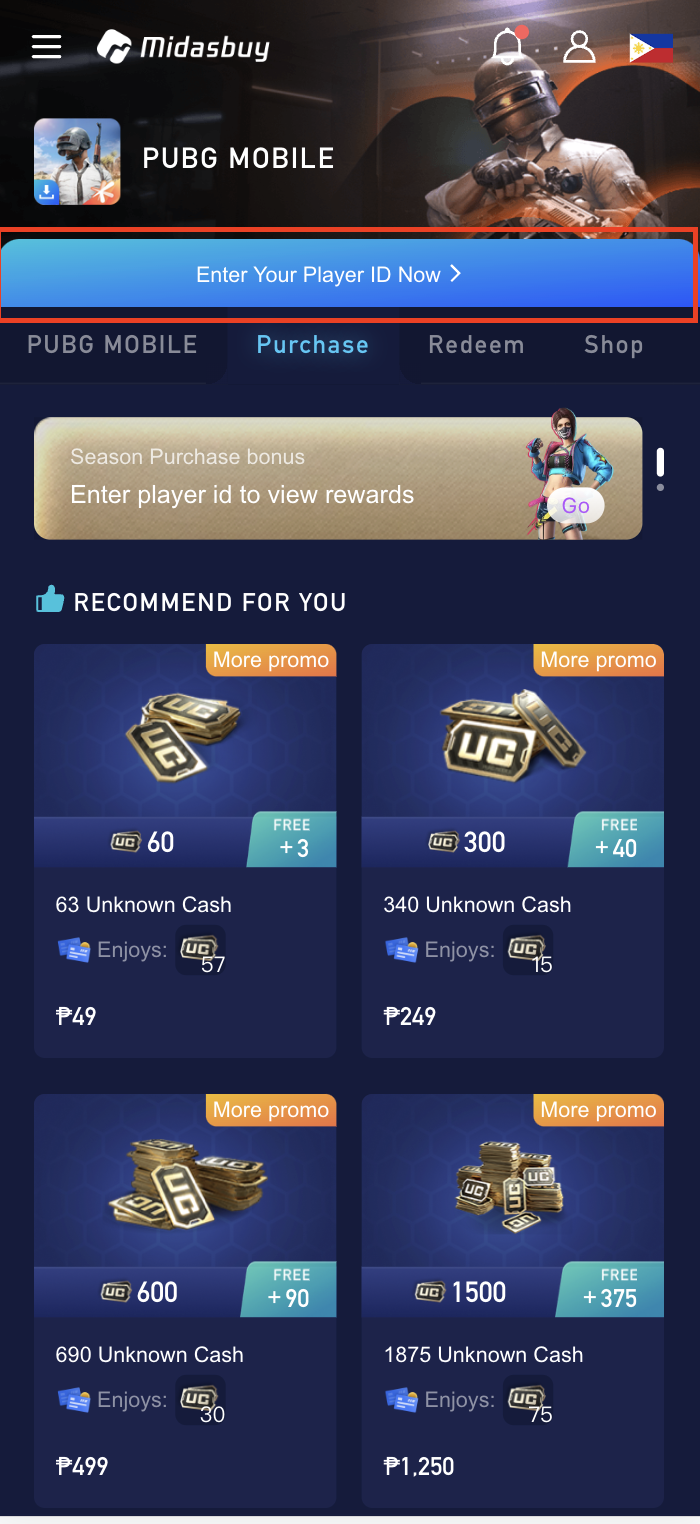
Step 1: Please enter your PUBG Player ID first in order to participate in more promotions.
*If you do not know how to find your Player ID, please click ‘How to find Player ID’. We will help you to find it. 🙋
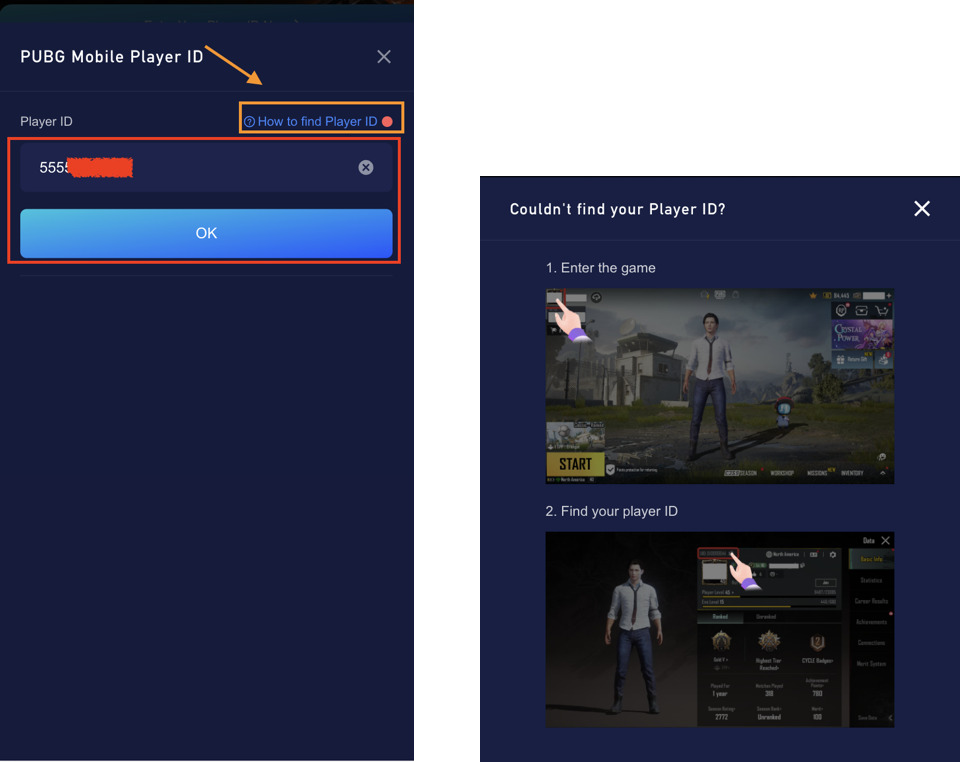
Step2: When you entered your Player ID, we will automatically save your Player ID to facilitate your next shopping.
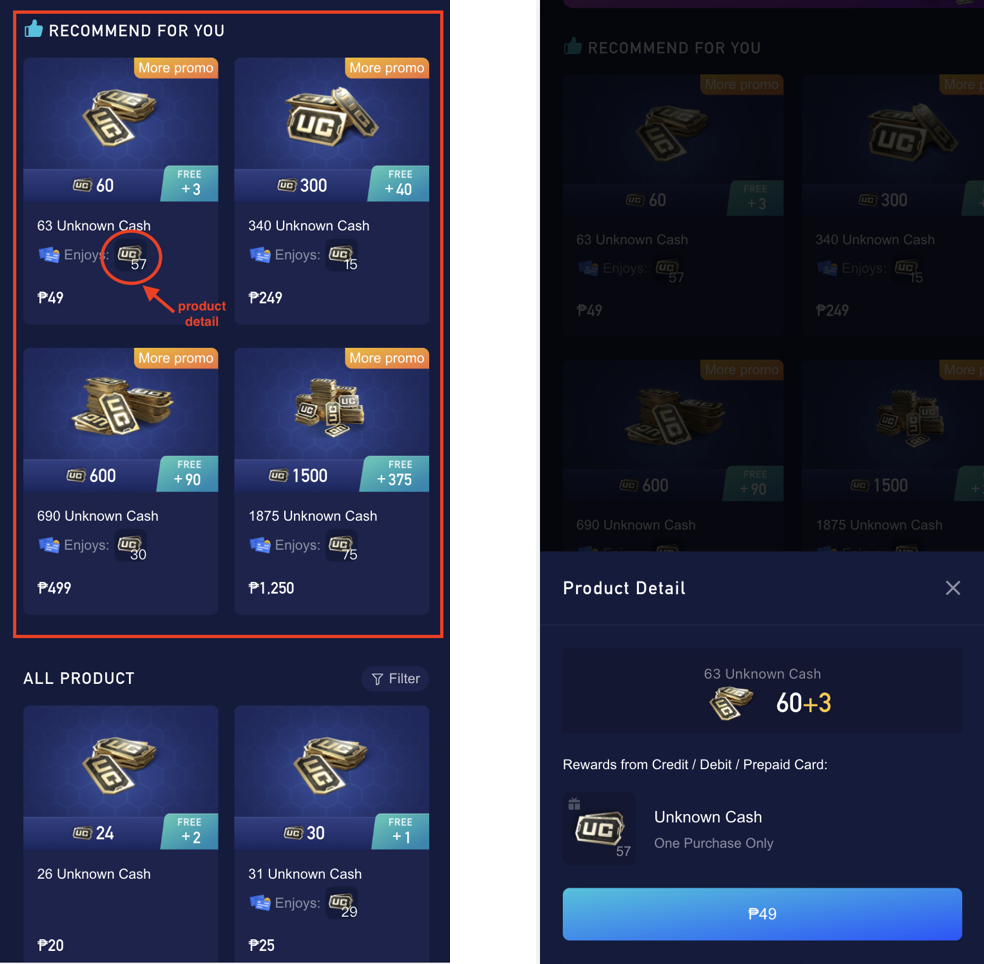
Then you can start selecting the items you want to choose. You can see ‘RECOMMEND FOR YOU’, that’s our top item of the week for you.
And, you can click on the Icon to view item details.
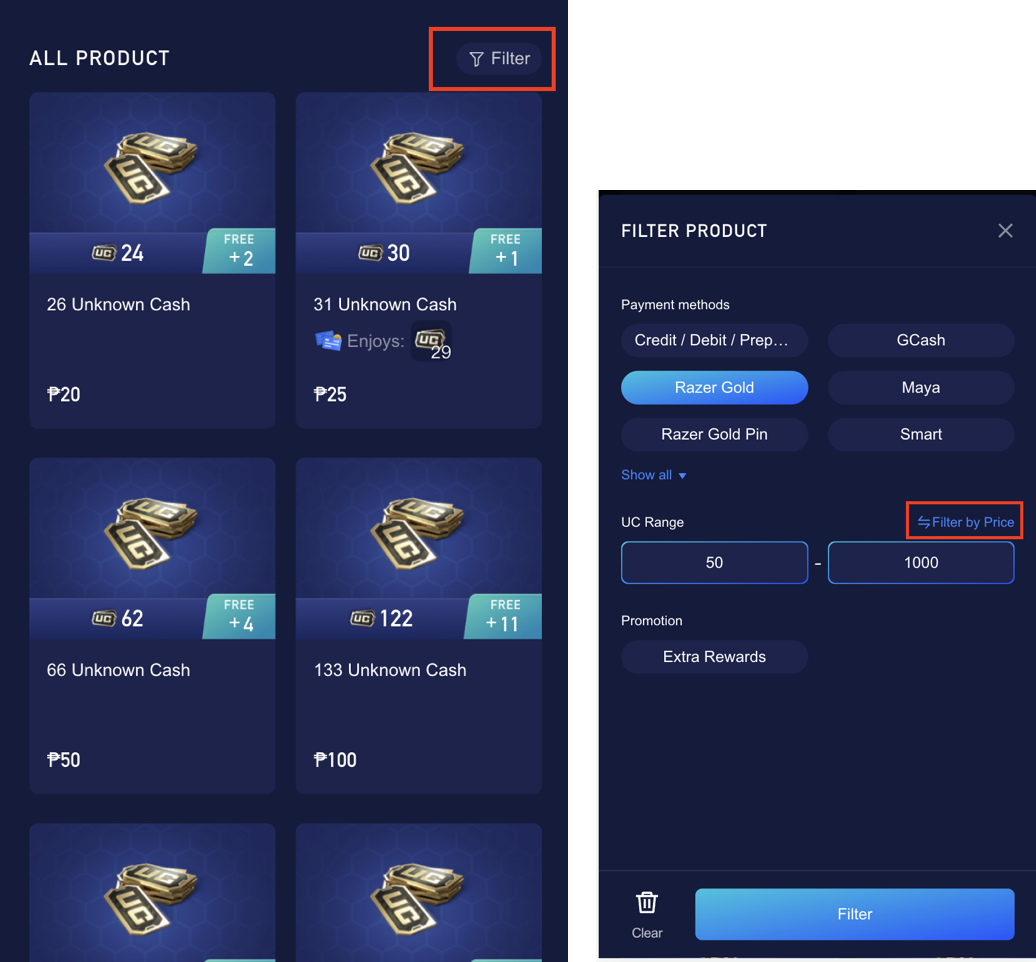
Of course, if you want to quickly find what you want to buy, please use the Filter. 😍
You can filter by payment method, UC quantity, price, and event to quickly find the product you want to buy.
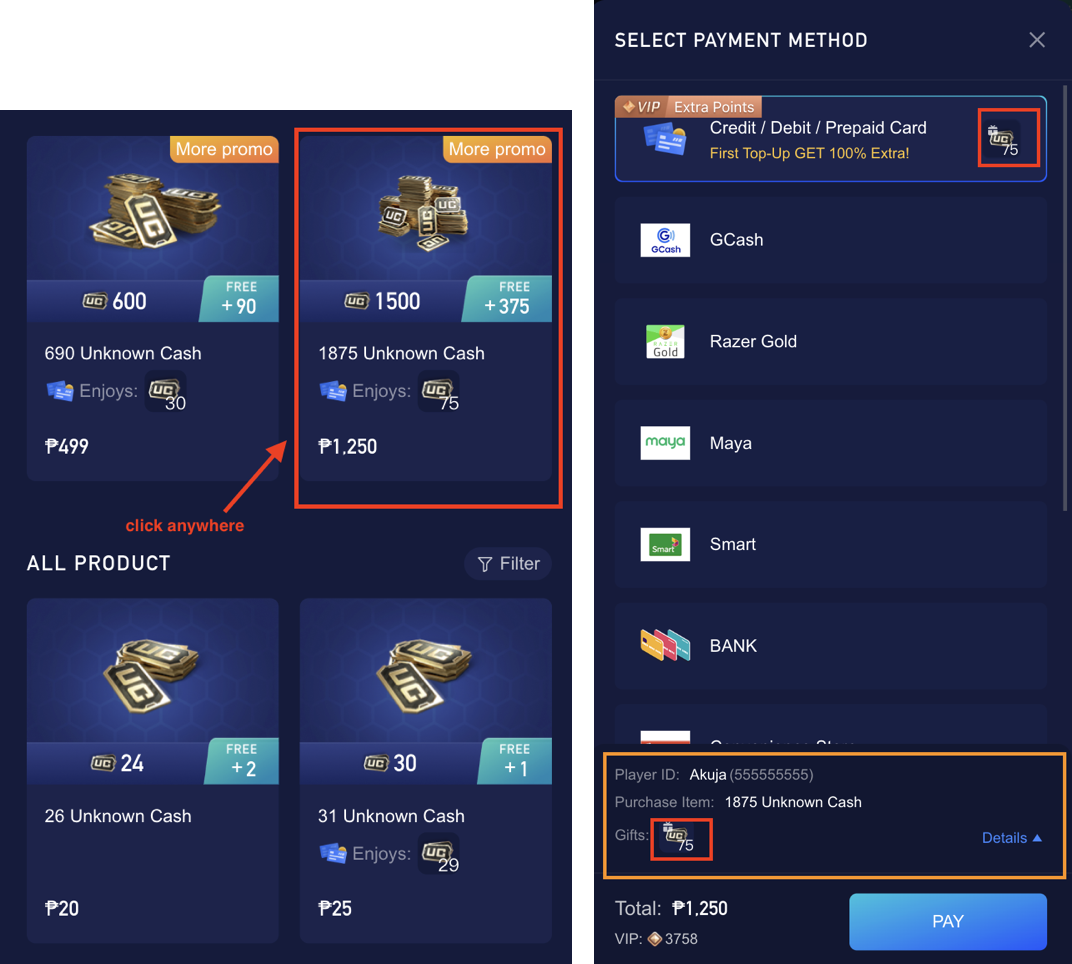
Step3: Please click on any area of the product, and you will enter the payment page.
Then, you will see different promotions for different payment methods. Please choose the method you want to pay.
Finally, please confirm your purchase information and click ‘PAY'.
*If you have any suggestions for our NEW Midasbuy, please help us fill out this survey:
https://docs.google.com/forms/d/1xLKEhhUiJzUi0RNa7cICaNarei5D2Zp84wSZoVwZmuQ/edit
We look forward to your suggestions!🙏

